Email Address Verification Email

Check your mailbox for the Email Address Verification Email.
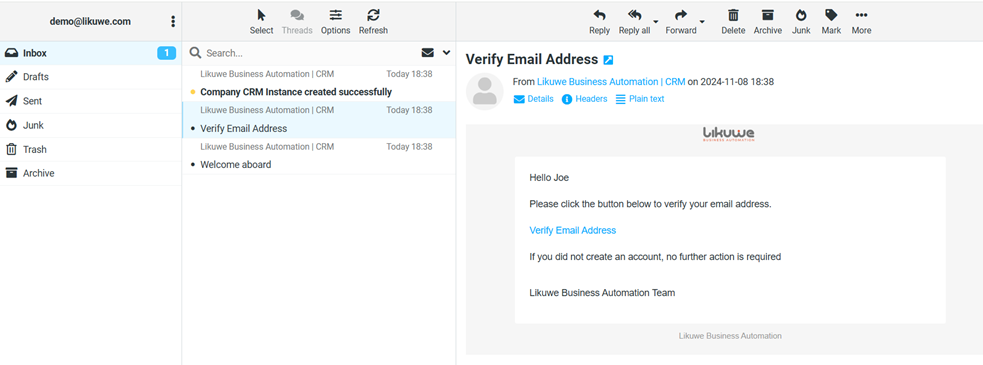
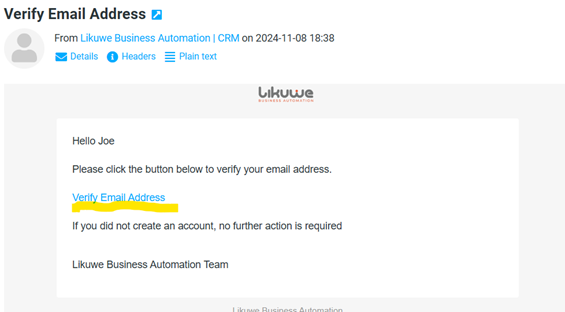
Click on the Verify Email Address link to activate your email. 
Then you will be redirected to a login screen of your Company CRM Instance.

Use the email address and Password from the Registration page to login.

Did you find this article useful?

  • Getting Started

    Select a package that aligns with your business needs and budget. Remember, you can always upgrade t...
  • Choosing a plan

    Select a package that aligns with your business needs and budget. Remember, you can always upgrade t...
  • Registering your company

    Upon choosing a plan, enter your company information to register. 1   Access the regi...
  • Welcome Email

    Check your mailbox. If you did not receive an email, remember to check the Spam or Junk mail folder....
  • Company CRM Instance Email

    Check your mailbox for Company CRM Instance Email. This instance is made up of your company name. M...