Go to Setup > Settings > General Settings.
Uploading Your Company Logo
· Upload your logo, which will appear on login screens and documents.
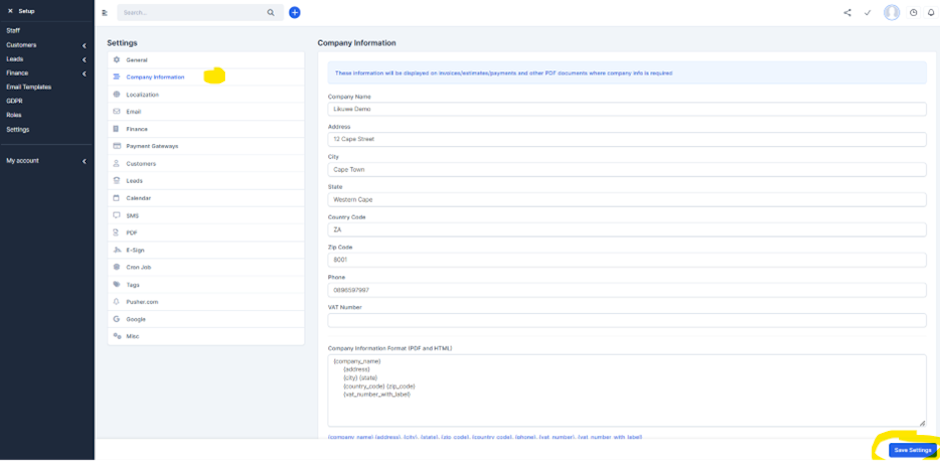
1. Completing Company Information
· Enter company information in General Settings and save.
Go to Setup > Settings > General Settings.
Uploading Your Company Logo
· Upload your logo, which will appear on login screens and documents.
1. Completing Company Information
· Enter company information in General Settings and save.